 BABEL TOKEN
For iPhone · iOS 18 and later
Your API keys, one tap away.
Paste a key and BABEL TOKEN recognises the provider and fills in the variable name and Base URL. Tap the end of the row and it comes back in the shape your code wants — a .env line, a shell export, an HTTP header, a curl command — on this iPhone or straight to your Mac. It also remembers what you'd rather not: which keys expire, which are overdue for rotation, which you've stored twice.
Read the user guide Coming soon on the App Store
Three steps
- 1
Paste it in
Tap the paste button on the Keys tab, or select a key on a provider's console page in Safari and share it to BABEL TOKEN. A whole
.envpasted at once goes to a batch import instead. - 2
It's recognised
The key's prefix and shape — and, when shared from Safari, the console's domain — identify the provider. Variable name, Base URL and environment are filled in; you add a name and Save. Guessed wrong? Pick another from the list; nothing is lost.
- 3
Copy it out
Tap the copy button at the end of the row, or long-press to choose
.env,export, header, curl or JSON. Face ID once, then quiet for 15 minutes. The clipboard clears itself after 60 seconds.
What you get
- Paste, and it's recognisedAbout 80 providers are built in — OpenAI, Anthropic, OpenRouter, GitHub, AWS, Stripe and the rest — each with its key prefixes, default variable name, Base URL and console address. A shared prefix like
sk-gives you the candidates to choose from instead of a guess. - Copy as whatever your code wantsSix formats: the raw value, a
.envline, a shellexport, the provider's HTTP header, a ready-to-runcurl, or JSON. Each key remembers the format you used last, so the button at the end of the row does the right thing next time. - Hand it to your MacCopies travel over Universal Clipboard by default and clear themselves after 60 seconds — paste into your terminal and it's gone before you forget about it. Prefer to keep it local? Switch to this iPhone only and the clipboard clears in 30 seconds.
- Browse freely, unlock only to take a valueNames, providers, masked hints and expiry dates are readable the moment the app opens; no unlock screen stands in the way. Face ID is asked for only when a secret has to be decrypted — to reveal or copy it — and then not again for 15 minutes.
- A whole .env, per projectGroup keys into projects and copy every active key in one as a single
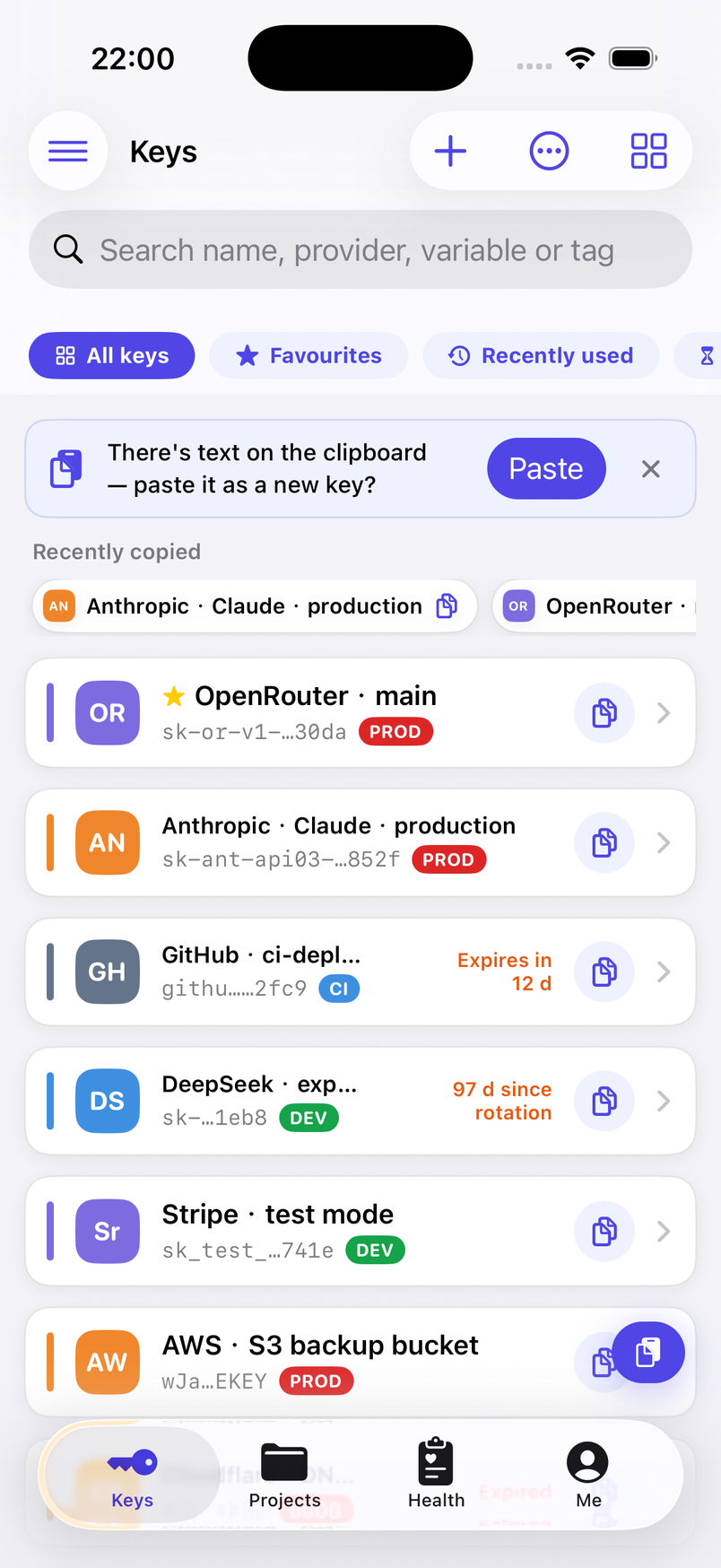
.env— or share it as a file. Going the other way, paste or open a.envand everyKEY=VALUEline becomes a key, each one recognised and ticked for review before import. - Expiry and rotation, rememberedSet an expiry date and the list counts down from 30 days out. A key that has gone 90 days without a new value says 97 d since rotation right in the row; give it a rotation cycle and it also lands in the Rotation due group. Providers whose keys can expire get a nudge when you leave the date empty.
- A hygiene score that explains itselfSeven checks — expired but still active, rotation overdue, no expiry set, the same secret stored twice, a key left in the notes, a production key without a project, a missing variable name — each listed with the points it cost and the keys it hit. Fix one and the score really moves.
- Nothing to set up — and what that costsOpen the app and start pasting: no account, no master password. The data key is generated at random and kept in the iOS Keychain, where it rides along in your encrypted iOS backups. Nobody else has it — so if a new iPhone is set up without one, only the optional safety net (a master password or a 12-word recovery phrase) or a backup file you exported brings the secret values back.
Which providers it recognises
Recognition is a lookup, not a lookup service. The app compares the pasted value against the key prefixes and shapes of about 80 providers built into it — sk-ant- is Anthropic, ghp_ is GitHub, AKIA is AWS, and a value shaped like 123456789:AAF… is a Telegram bot token. A prefix several providers share, such as sk-, gives a best guess plus the other candidates to pick from; a value nobody matches is saved as a custom provider. Getting it wrong costs one tap: the provider only sets the badge, the default variable name, the curl template and the documentation links, never how the value is stored. The catalogue ships inside the app and is updated with it; nothing is looked up online.
- OpenAI
- Anthropic
- Google Gemini
- OpenRouter
- Groq
- Hugging Face
- DeepSeek
- Moonshot Kimi
- 智谱 GLM
- 阿里云百炼 DashScope
- SiliconFlow 硅基流动
- GitHub
- GitLab
- npm
- PyPI
- Docker Hub
- AWS
- Cloudflare
- Supabase
- Stripe
- Slack
- Telegram Bot
- Resend
- Tailscale
…and about 60 more, plus your own custom providers.
Privacy, in one paragraph
BABEL TOKEN collects nothing, and it cannot: the app has no networking code at all — no server, no account, no analytics, no crash reporting, no third-party SDK. Its App Store privacy label reads Data Not Collected. Everything you enter lives in a local database on your iPhone. Secret values, notes, rotation history and the trash are encrypted with AES-256-GCM; names, providers, tags and dates are stored readable so the list works before anything is unlocked. The data key is generated at random on first launch and kept in the iOS Keychain — we never see it, there is no master key, and we could not open your vault if asked. That cuts both ways: with no account there is no recovery through us, which is why the app offers an optional safety net and reminds you to export a backup.
Screens
Keys, masked, with expiry countdowns 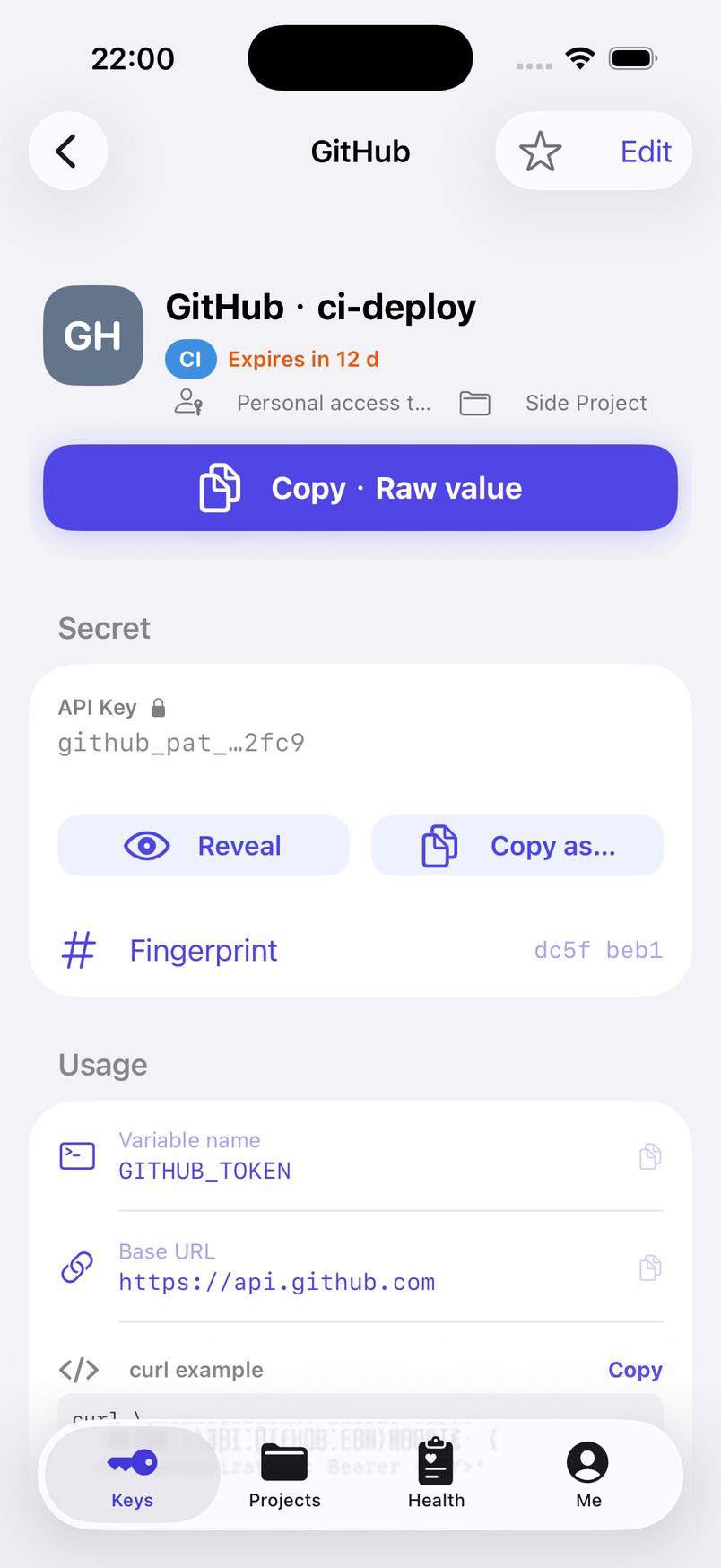
A key's detail page: reveal, copy as…, links 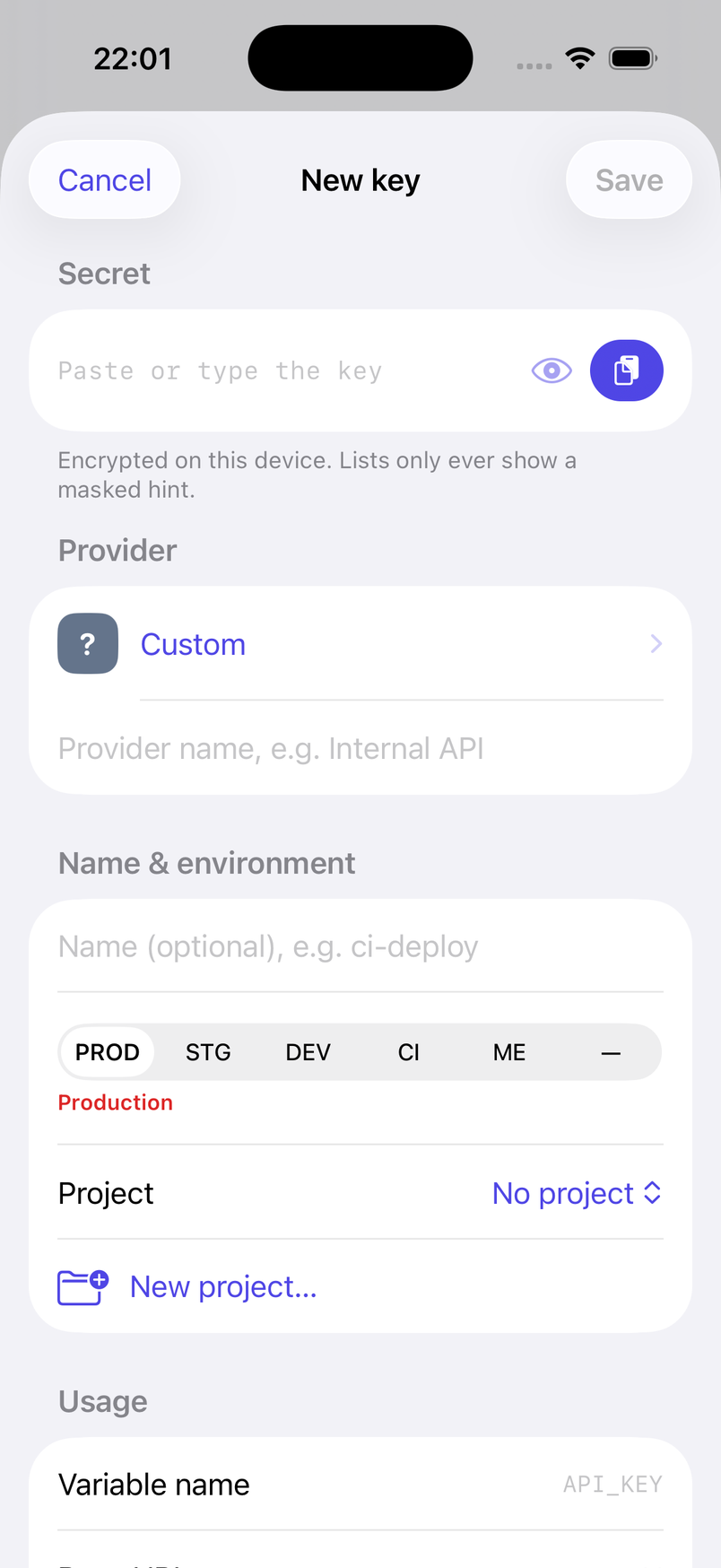
New key with the provider recognised 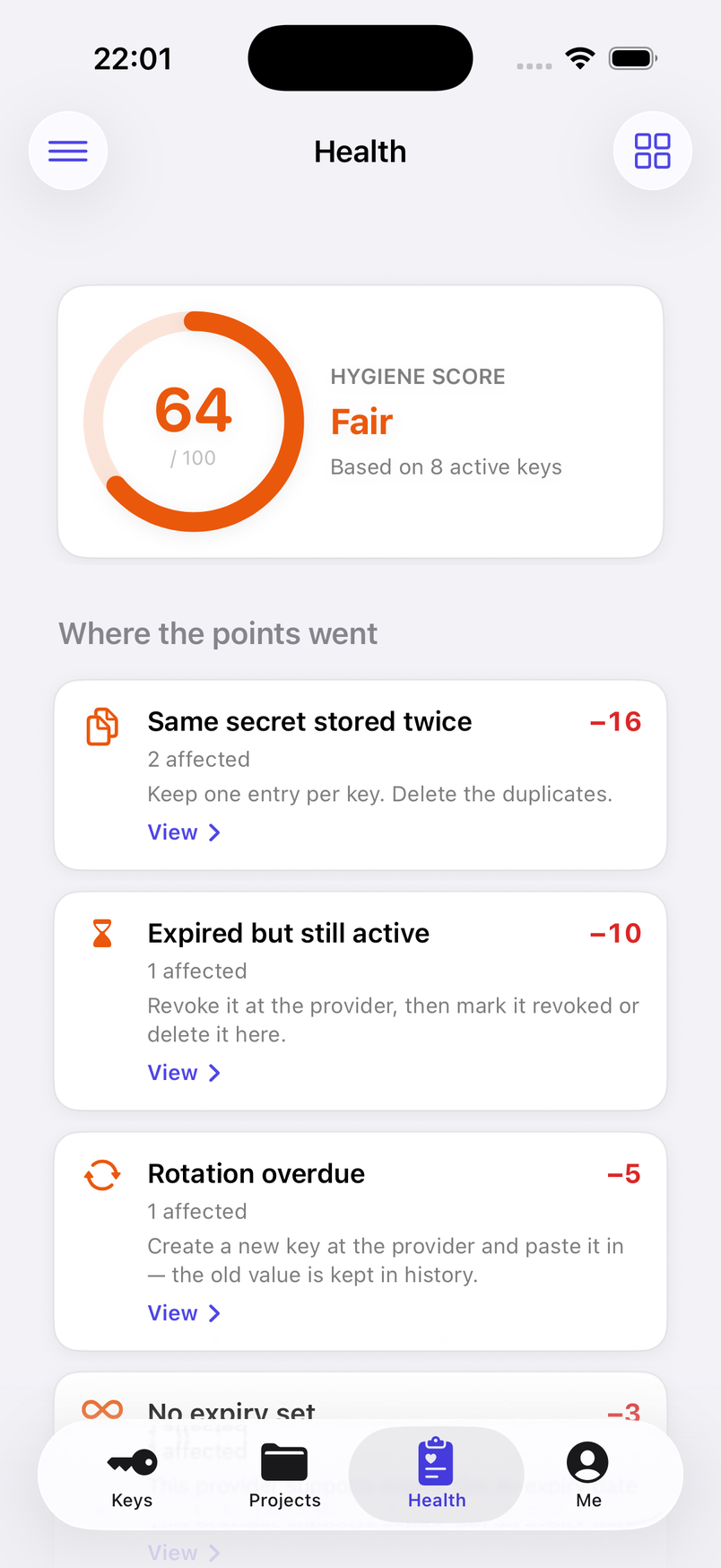
Hygiene score with every deduction listed 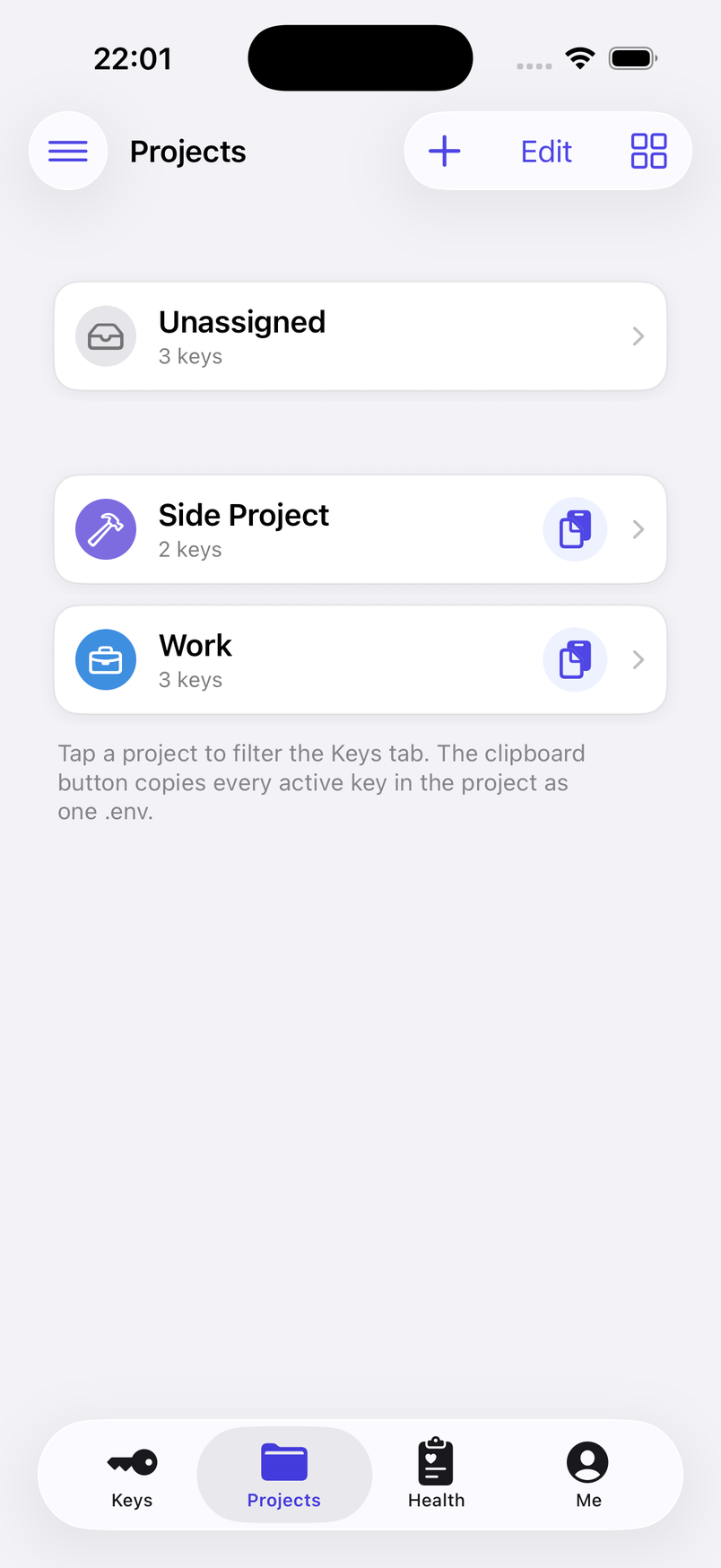
Projects — one .env per project 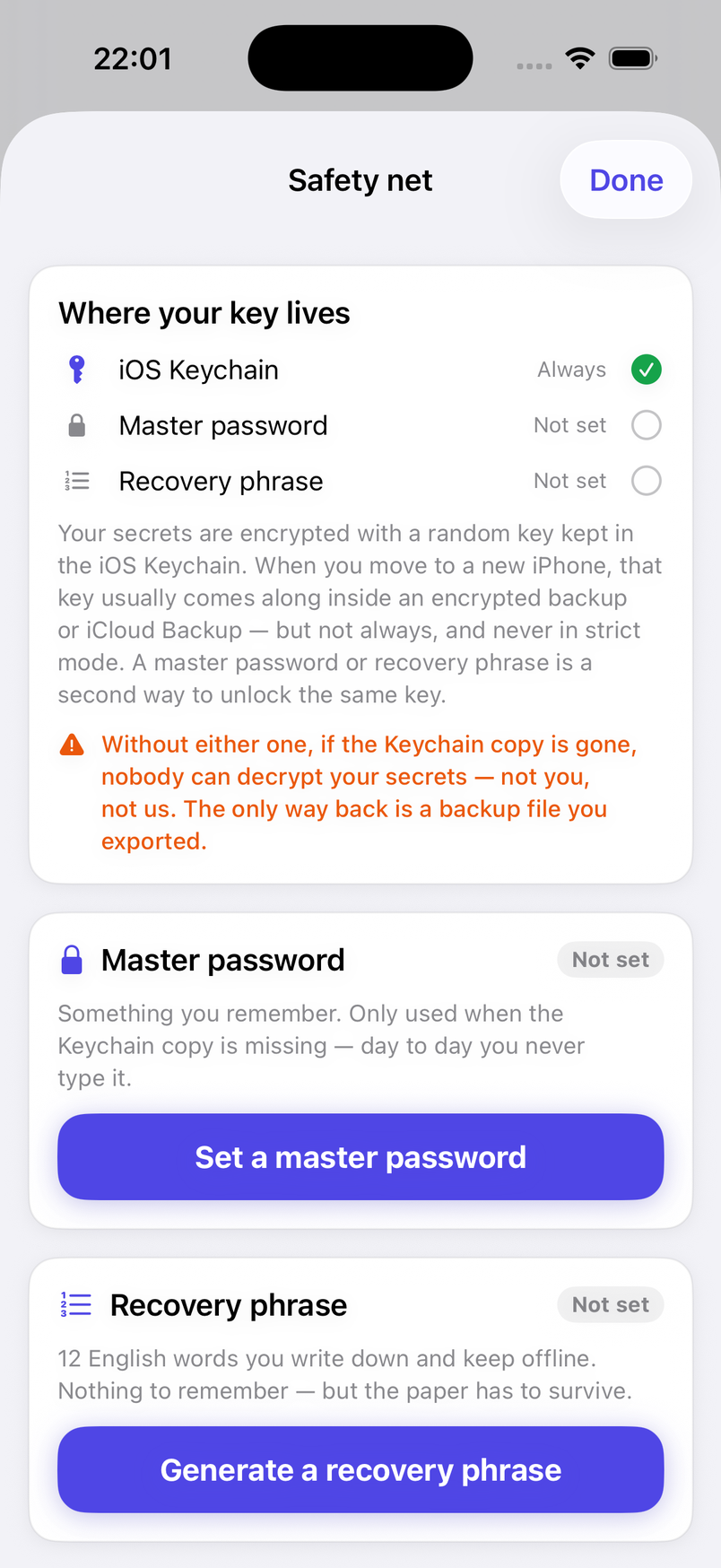
Safety net: master password and recovery phrase
BABEL TOKEN speaks English and Traditional Chinese (Hong Kong); it follows your iPhone's language and can be fixed in Settings.